AWS Elastic Container Registry (ECR)
🔐 Setup Required
The ecr registry module lets you authenticate against private AWS Elastic Container Registry (ECR) repositories.
⚙️ Configuration Variables
WUD_REGISTRY_ECR_{registry_name}_ACCESSKEYID
Requiredstring
AWS IAM Access Key ID
WUD_REGISTRY_ECR_{registry_name}_REGION
Requiredstring
AWS Region Code
WUD_REGISTRY_ECR_{registry_name}_SECRETACCESSKEY
Requiredstring
AWS IAM Secret Access Key
WUD_REGISTRY_ECR_{registry_name}_ACCOUNTID
Optionalstringdefault: Derived from image name
AWS Account ID (used to filter when multiple accounts are configured)
WUD_REGISTRY_ECR_{registry_name}_PUBLIC
Optionalbooleandefault: false
Whether the registry is an ECR Public gallery
Required IAM Policy
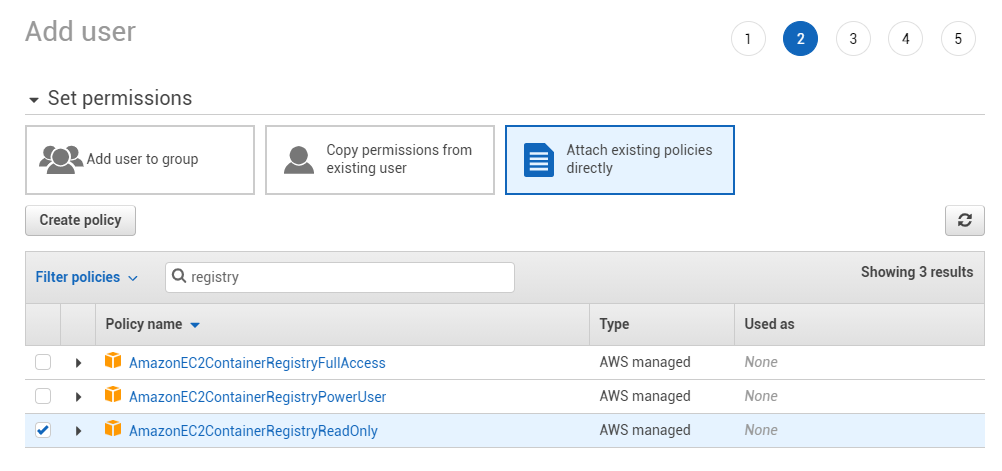
Ensure the AmazonEC2ContainerRegistryReadOnly policy (or equivalent ecr:GetAuthorizationToken, ecr:BatchGetImage, ecr:GetDownloadUrlForLayer permissions) is attached to the IAM user.
🚀 Examples
Authenticate with Private AWS ECR
- Docker Compose
- Docker
services:
  whatsupdocker:
    image: getwud/wud
    environment:
      - WUD_REGISTRY_ECR_PRIVATE_ACCESSKEYID=AKIAIOSFODNN7EXAMPLE
      - WUD_REGISTRY_ECR_PRIVATE_SECRETACCESSKEY=wJalrXUtnFEMI/K7MDENG/bPxRfiCYEXAMPLEKEY
      - WUD_REGISTRY_ECR_PRIVATE_REGION=eu-west-1
docker run \
  -e WUD_REGISTRY_ECR_PRIVATE_ACCESSKEYID="AKIAIOSFODNN7EXAMPLE" \
  -e WUD_REGISTRY_ECR_PRIVATE_SECRETACCESSKEY="wJalrXUtnFEMI/K7MDENG/bPxRfiCYEXAMPLEKEY" \
  -e WUD_REGISTRY_ECR_PRIVATE_REGION="eu-west-1" \
  getwud/wud
📖 Setup Guide: Creating an AWS IAM User for ECR
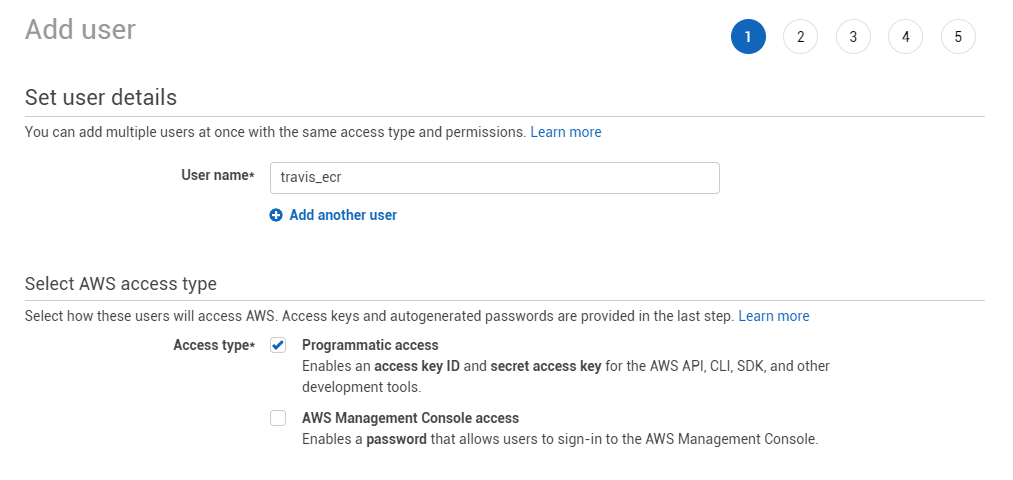
1. Create an IAM User
Open the AWS IAM Console and create a new IAM user.
2. Attach the Read-Only Policy
Attach the AmazonEC2ContainerRegistryReadOnly managed policy to the user.
3. Generate Access Keys
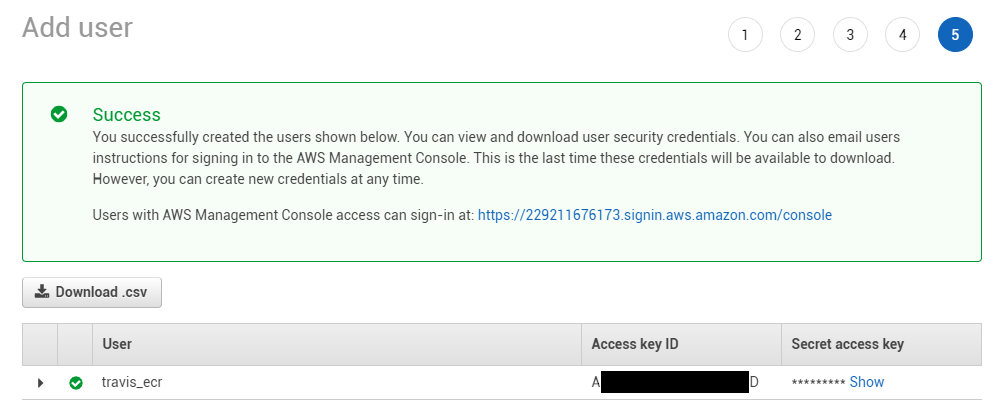
Create an Access Key under Security credentials, and copy the Access Key ID and Secret Access Key.