Quay (Red Hat Quay)
⚡ Active by Default
The quay registry module connects to Red Hat Quay (quay.io) container registries.
Zero-Config for Public Images
Public packages work out of the box with zero configuration. Configure this module to monitor private repositories or avoid anonymous rate limits.
⚙️ Configuration Variables
WUD_REGISTRY_QUAY_{registry_name}_ACCOUNT
Requiredstring
Quay robot account name
WUD_REGISTRY_QUAY_{registry_name}_NAMESPACE
Requiredstring
Quay organization or username namespace
WUD_REGISTRY_QUAY_{registry_name}_TOKEN
Requiredstring
Quay robot account secret token
🚀 Examples
Authenticate with a Quay Robot Account
- Docker Compose
- Docker
services:
  whatsupdocker:
    image: getwud/wud
    environment:
      - WUD_REGISTRY_QUAY_LOCAL_NAMESPACE=myorg
      - WUD_REGISTRY_QUAY_LOCAL_ACCOUNT=myrobot
      - WUD_REGISTRY_QUAY_LOCAL_TOKEN=BA8JI3Y2BWQDH849RYT3YD5J0J6CYEORYTQMMJK364B4P88VPTJIAI704L0BBP8D6CYE4P88V
docker run \
  -e WUD_REGISTRY_QUAY_LOCAL_NAMESPACE="myorg" \
  -e WUD_REGISTRY_QUAY_LOCAL_ACCOUNT="myrobot" \
  -e WUD_REGISTRY_QUAY_LOCAL_TOKEN="BA8JI3Y2BWQDH849RYT3YD5J0J6CYEORYTQMMJK364B4P88VPTJIAI704L0BBP8D6CYE4P88V" \
  getwud/wud
📖 Setup Guide: Creating a Quay.io Robot Account
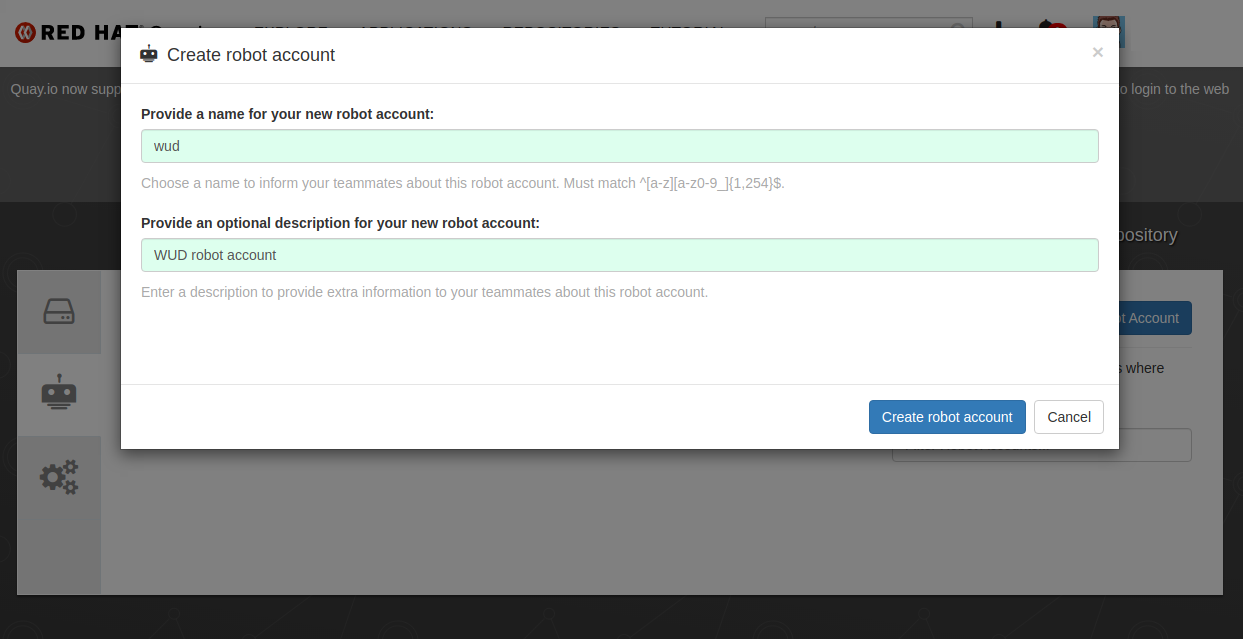
- Open your Quay.io Organization or User Settings and select Robot Accounts.
- Click Create Robot Account, name it (e.g.
wud), and grant read permissions to the appropriate repositories.
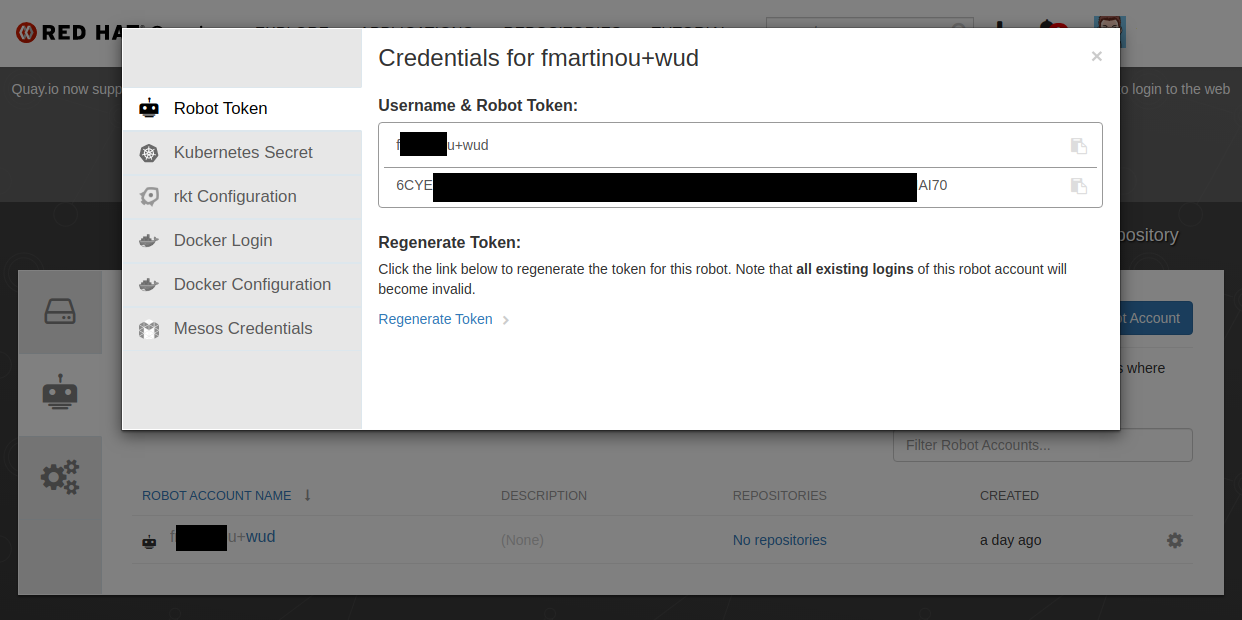
- Robot account names follow the format
<namespace>+<account>.- Set the part before the
+asWUD_REGISTRY_QUAY_{registry_name}_NAMESPACE. - Set the part after the
+asWUD_REGISTRY_QUAY_{registry_name}_ACCOUNT. - Copy the generated token string into
WUD_REGISTRY_QUAY_{registry_name}_TOKEN.
- Set the part before the